Managing remote employees without visibility into how working hours are actually spent creates a specific kind of organizational friction — managers feel uncertain, employees feel unappreciated, and project costing becomes guesswork. Time tracking software addresses this directly, but only when it’s chosen for the actual dynamics of distributed teams rather than purchased as a generic productivity tool and forced into a remote work context where it doesn’t fit.
The gap between time tracking software that builds team trust and software that feels like surveillance is real, consequential, and almost entirely determined by feature selection and implementation approach.
Features That Define Effective Remote Time Tracking
Remote time tracking has different requirements than in-office monitoring. Distributed teams operate across time zones, use varied devices, and need systems that accommodate asynchronous work patterns without creating administrative overhead that consumes the time it’s supposed to measure.
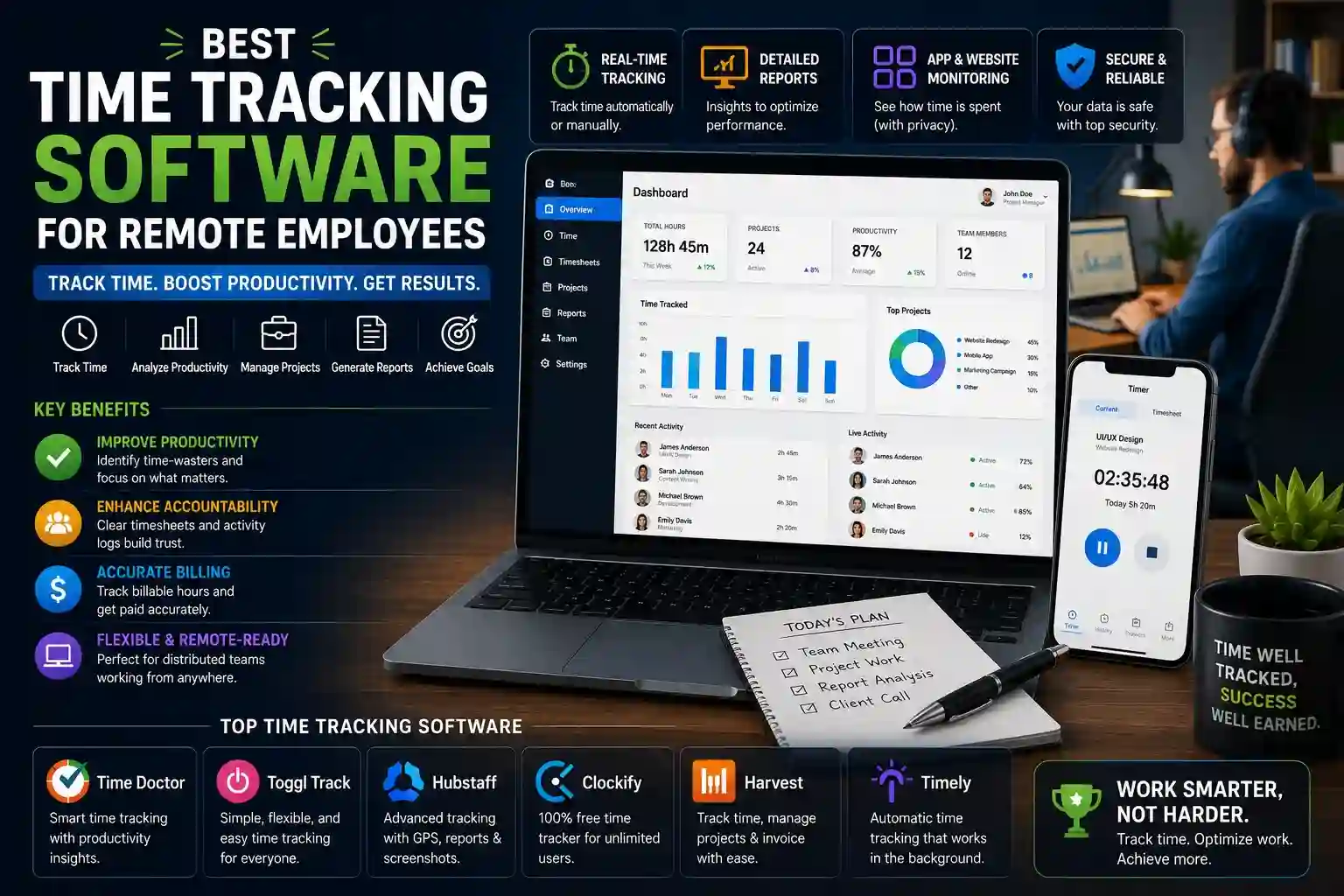
Features that matter for genuinely effective remote employee time tracking:
- Automatic time capture that runs passively in the background and categorizes activity without requiring manual clock-in and clock-out actions that remote workers routinely forget, producing incomplete records that are useless for billing or payroll
- Project and task-level tracking that attributes time to specific work items rather than logging undifferentiated hours — managers who can see that a developer spent six hours on a specific feature have actionable information; managers who see six hours of general computer activity do not
- Cross-device synchronization covering desktop, mobile, and browser-based tracking so remote employees can log time from whatever device they’re working on without gaps appearing in records when they switch between home computers, laptops, and mobile devices
- Offline tracking with automatic sync that captures time during periods without internet connectivity and uploads records when connection is restored — essential for remote employees in locations with unreliable internet access
- Geofencing or location flexibility settings that accommodate the reality of remote work happening from home offices, coworking spaces, and travel locations without triggering false alerts designed for fixed-location teams
- Idle time detection and handling that pauses tracking during inactivity and prompts employees to confirm whether idle periods should be counted, producing accurate records without requiring constant manual attention
- Transparent reporting accessible to employees so team members can view their own time data with the same detail available to managers — transparency reduces the perception of surveillance and builds the trust that makes remote teams function effectively
- Payroll integration with major platforms that converts approved time records directly into payroll calculations, eliminating the error-prone manual step of transferring hours from one system to another at the end of each pay period
Matching Time Tracking Capabilities to Remote Team Structure
Remote teams aren’t monolithic. Agencies billing client hours by the minute have fundamentally different tracking requirements than software development teams managing sprint velocity, and both differ from distributed service businesses managing shift-based remote workers.
- Client-facing agencies and consultancies need billable hour tracking with client and project categorization, invoice generation directly from time records, and budget burn monitoring that alerts managers before projects exceed estimated hours.
- Software development teams benefit from integration with project management and issue-tracking platforms that automatically attribute logged time to specific tickets or user stories without requiring developers to manually switch between tracking and development tools.
- Customer service and support teams operating across time zones need shift scheduling integration, coverage gap visibility across time zones, and real-time attendance monitoring that alerts supervisors when shifts begin without a clock-in.
- Freelancers and independent contractors working with multiple clients simultaneously require intuitive timer switching between projects, client-branded time reports suitable for sharing with clients, and export formats compatible with various invoicing systems.
- Businesses with compliance requirements in regulated industries need audit-ready time records with tamper-evident logging, manager approval workflows before records are finalized, and data retention policies that satisfy legal requirements for employment record keeping.
- Global distributed teams managing employees across multiple countries require multi-currency billing rates, jurisdiction-aware overtime calculations, and reporting that separates time by region for distributed cost accounting.
- Results-oriented remote teams moving away from hours-based management entirely still benefit from optional time tracking for project costing and capacity planning — software with lightweight voluntary tracking modes serves these teams without imposing the full overhead of mandatory time logging.
Implementation Practices That Determine Whether Time Tracking Succeeds
Software selection is only half the decision. How time tracking is introduced and managed determines whether it becomes a trusted operational tool or a source of ongoing resentment that employees work around rather than with.
Transparent communication before launch matters more than most managers anticipate. Remote employees who understand why time tracking is being implemented — project costing accuracy, client billing, capacity planning — adopt it with far less resistance than teams where tracking feels imposed without explanation. Framing the tool as useful data for employees as well as managers, rather than purely as oversight, changes adoption dynamics measurably.
Policy clarity prevents the most common points of friction. Defining upfront which activities should be tracked, how breaks are handled, whether personal time on company devices requires logging, and what happens to records when employees make mistakes removes the ambiguity that generates daily micro-conflicts in remote teams using time tracking for the first time.
Manager behavior sets the tone for team behavior. When managers visibly use time data to make better project estimates, distribute workload more fairly, and recognize employees working on underappreciated tasks, tracking becomes associated with positive outcomes rather than surveillance. When the only visible use of time data is monitoring for potential underperformance, resentment follows predictably.
Integration with existing workflows reduces friction significantly. Time tracking software that sits outside the tools remote employees already use daily requires deliberate context-switching that accumulates into meaningful adoption resistance over time. Software with native integrations in communication platforms, project management tools, and development environments that remote teams already use daily embeds tracking into existing behavior patterns rather than adding separate habits.
Conclusion
The best time tracking software for remote employees is the one that captures accurate data without creating administrative burdens, integrates with tools teams already use, and supports transparent reporting that benefits both managers and employees rather than serving surveillance exclusively. Implementation quality consistently determines outcomes more than software quality — clear communication, fair policies, and manager behavior that demonstrates the value of time data transform tracking from an imposition into a genuinely useful operational tool for distributed teams.
Frequently Asked Questions
Q1: Is automatic time tracking better than manual time tracking for remote employees?
Automatic tracking produces more accurate records with less employee effort, which makes it generally preferable for remote teams where manual clock-in discipline is difficult to enforce consistently. However, some teams prefer manual tracking for its simplicity and the intentionality it requires — employees who consciously log tasks often maintain better awareness of where their time goes. The right choice depends on team culture and the accuracy requirements of the specific use case.
Q2: How do I introduce time tracking to remote employees without damaging trust?
Lead with transparency about why tracking is being implemented and what the data will be used for. Share access to time reports with employees so they can see their own data. Start with voluntary or lightweight tracking rather than mandatory detailed monitoring. Demonstrate that time data informs better project planning and workload distribution — not just performance scrutiny — before expanding tracking requirements.
Q3: What is the difference between time tracking and employee monitoring software?
Time tracking records how hours are allocated across projects and tasks, producing data primarily useful for billing, payroll, and project management. Employee monitoring software captures screenshots, application usage, keystroke counts, and browsing activity — a significantly more invasive category that raises distinct legal and ethical considerations. Many remote teams find time tracking sufficient for their operational needs without the trust damage that monitoring software typically produces.
Q4: Can time tracking software integrate with payroll systems?
Most modern time tracking platforms offer direct integrations with major payroll providers, converting approved time records into payroll inputs automatically. The specific integrations available vary by platform — verifying compatibility with your existing payroll system before selecting time tracking software avoids the common situation of choosing software that solves the tracking problem but requires manual data transfer for payroll anyway.
Q5: How should overtime be handled in remote employee time tracking across time zones?
Overtime calculation for remote employees across time zones requires attention to the labor laws applicable in each employee’s jurisdiction rather than the employer’s location. Time tracking software with location-aware overtime rules automatically applies the correct thresholds and calculation methods based on where each employee is based — a feature worth verifying explicitly before deployment for teams with international remote workers.