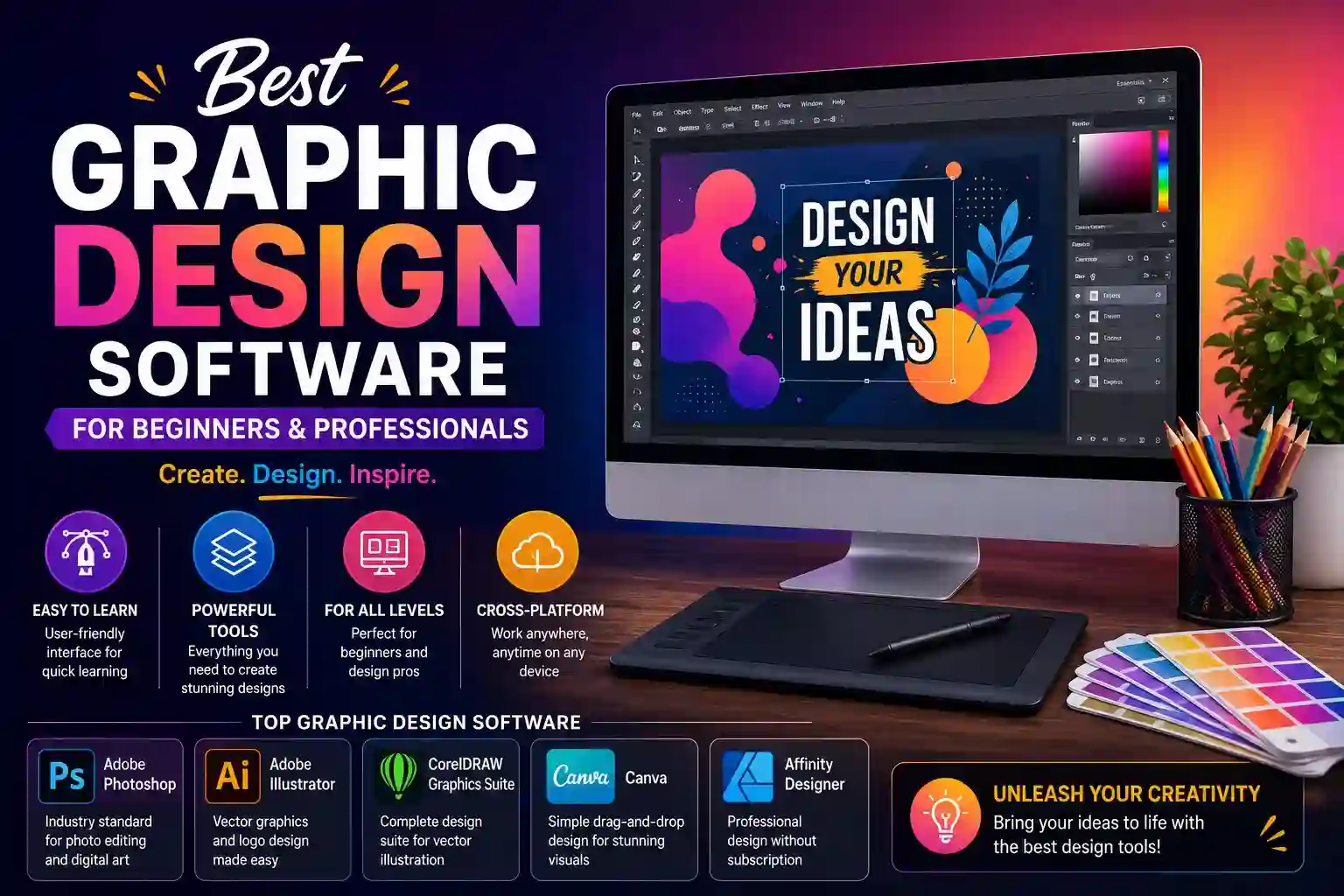
Choosing graphic design software is one of the most consequential decisions a designer makes — not because switching is impossible, but because the tool shapes how you think about design problems. Professionals who build muscle memory and workflow around one application resist changing platforms even when alternatives offer genuine advantages. Getting this choice right from the start saves years of relearning.
The market now offers serious options across every skill level and budget. Understanding what each category of software actually does well — and where it falls short — produces better decisions than chasing whichever tool trends on design forums in any given month.
What to Evaluate Before Choosing Design Software
The wrong framework for choosing design software is picking the most popular tool without considering how it maps to actual work requirements. A logo designer and a social media content creator have fundamentally different needs — software that excels for one can feel genuinely frustrating for the other.
Criteria that should drive the selection decision:
- Output format requirements determine the foundational choice — vector-based software handles logos, icons, and illustrations that scale to any size without quality loss, while raster-based tools suit photo editing, digital painting, and texture-heavy compositions
- Learning curve relative to available time matters more than feature depth for beginners — software that produces visible results quickly builds confidence and sustains practice, while overwhelming interfaces cause abandonment before skills develop
- Cross-platform availability determines whether work is accessible across devices and operating systems, which matters increasingly as designers work across desktop, tablet, and client handoff scenarios
- File compatibility with client or team requirements prevents the common situation of producing work in a format that downstream collaborators, printers, or developers cannot open without conversion loss
- Subscription versus perpetual licensing affects long-term cost significantly — subscription models appear affordable monthly but accumulate substantially over multi-year periods, while perpetual licenses require larger upfront investment with lower lifetime cost
- Performance on available hardware separates theoretical capability from practical usability — resource-intensive professional applications can run slowly or unstably on mid-range hardware, limiting what’s practically achievable
- Community and learning resource availability affects how quickly skills develop — software with large communities generates tutorials, templates, troubleshooting forums, and course content that independently accelerates proficiency
- AI-assisted feature integration has become a meaningful differentiator, with some platforms embedding generative fill, background removal, layout suggestions, and style transfer directly into core workflows rather than requiring external tools
Matching Software Categories to Specific Design Needs
Rather than recommending specific products that change with each software update cycle, understanding which software category serves each design discipline produces durable guidance.
- Vector illustration and logo design requires software built around Bézier curve manipulation, anchor point control, and scalable artboard management — the precision tools these applications provide are non-negotiable for identity design work intended to appear on everything from business cards to billboards.
- Photo editing and compositing demands raster editing capability with non-destructive layer management, advanced masking, color grading controls, and high-bit-depth processing — the combination that allows complex image manipulation while preserving the ability to revise decisions without degrading image quality.
- Layout and publication design needs multi-page document management, master page controls, precise typographic handling, and print-ready output with bleed and crop mark management — capabilities that general design tools handle poorly compared to dedicated layout applications.
- UI and UX design requires prototyping capability alongside visual design tools — the ability to create interactive flows, define component libraries, and export assets in developer-ready formats differentiates purpose-built UI tools from general design applications adapted for the task.
- Social media and marketing content suits template-based platforms with direct publishing integrations, brand kit management, and extensive asset libraries — prioritizing speed and consistency over the granular control that professional design applications provide.
- Digital illustration and concept art benefits from pressure-sensitive brush engines, customizable brush dynamics, and canvas management optimized for stylus input — capabilities that general design applications offer superficially but that dedicated illustration tools execute with far greater nuance.
- Motion graphics and animated content extends beyond static design software entirely into applications that manage keyframes, easing curves, and composition timing — a distinct tool category even for designers proficient in multiple static design applications.
How Beginners Should Approach Learning Design Software
The most common mistake beginners make is treating software proficiency as the primary goal rather than a means to developing design judgment. Technically skilled software users who haven’t developed an eye for hierarchy, contrast, color relationships, and spatial balance produce technically correct work that communicates poorly.
The practical approach: choose one software tool appropriate to your primary interest, commit to it for a minimum of six months before evaluating alternatives, and spend equal time studying design principles alongside software mechanics. Analyzing work you admire — breaking down why it works visually before trying to replicate the technical execution — develops taste faster than any tutorial sequence.
Template-starting is a legitimate learning strategy for beginners despite the criticism it sometimes receives. Deconstructing how professional templates are built — which elements sit on which layers, how spacing is calculated, why certain typefaces are paired — teaches structural thinking that blank-canvas work doesn’t always surface until a stronger foundation exists.
Project-based learning consistently outperforms feature-focused tutorials. Building a complete project — a logo, a poster, a social media set — forces engagement with every stage of the design process and surfaces the specific gaps in software knowledge worth addressing next.
Conclusion
The best graphic design software is the one that fits your specific output requirements, hardware, budget, and learning availability — not the one with the longest feature list or the highest industry adoption. Beginners benefit from accessible tools that provide visible results while design fundamentals develop. Professionals benefit from deep capability in the specific disciplines their work demands. Both groups benefit from choosing deliberately rather than defaulting to whatever is most familiar in their immediate environment. Software is the instrument, not the music — invest time in both.
Frequently Asked Questions
Q1: Should beginners start with free or paid graphic design software?
Free and low-cost options now offer genuine capability rather than stripped-down trials. Beginners benefit from starting with accessible tools that remove financial pressure during the learning phase — proficiency transfers to professional software more readily than most beginners expect, because the underlying design principles remain constant across applications.
Q2: What is the difference between vector and raster design software?
Vector software constructs images from mathematical paths and shapes that scale to any size without quality loss — essential for logos, icons, and illustrations. Raster software works with pixel grids, making it ideal for photography, digital painting, and detailed texture work but producing quality loss when scaled beyond the original resolution. Many professional designers use both, choosing based on the specific project requirements.
Q3: How long does it take to become proficient in professional design software?
Basic proficiency — producing clean, functional work without constant reference to tutorials — typically develops within three to six months of regular practice. Professional-level fluency, where software mechanics become intuitive and stop interrupting creative thinking, generally requires one to two years of consistent project work. Learning speed accelerates significantly when practice centers on real projects rather than isolated exercises.
Q4: Is subscription-based design software worth the ongoing cost?
For working professionals billing design work to clients, subscription costs are typically recoverable through a single project monthly. For students, hobbyists, or early-career designers with limited income, the accumulated cost of subscriptions over several years is substantial — evaluating perpetual license alternatives or free professional-grade options is financially sensible before committing to ongoing subscription expenses.
Q5: Can graphic design software be learned entirely through free online resources?
Yes, and the quality of freely available instruction has improved dramatically. YouTube tutorials, software documentation, design community forums, and free course platforms now cover even advanced professional workflows comprehensively. Paid courses offer structured progression and instructor feedback that self-directed learning lacks — but the software knowledge itself is entirely learnable without paid education for motivated self-starters.