

Introduction
When choosing web hosting, price and website speed usually get most of the attention. Security should be part of that decision too.
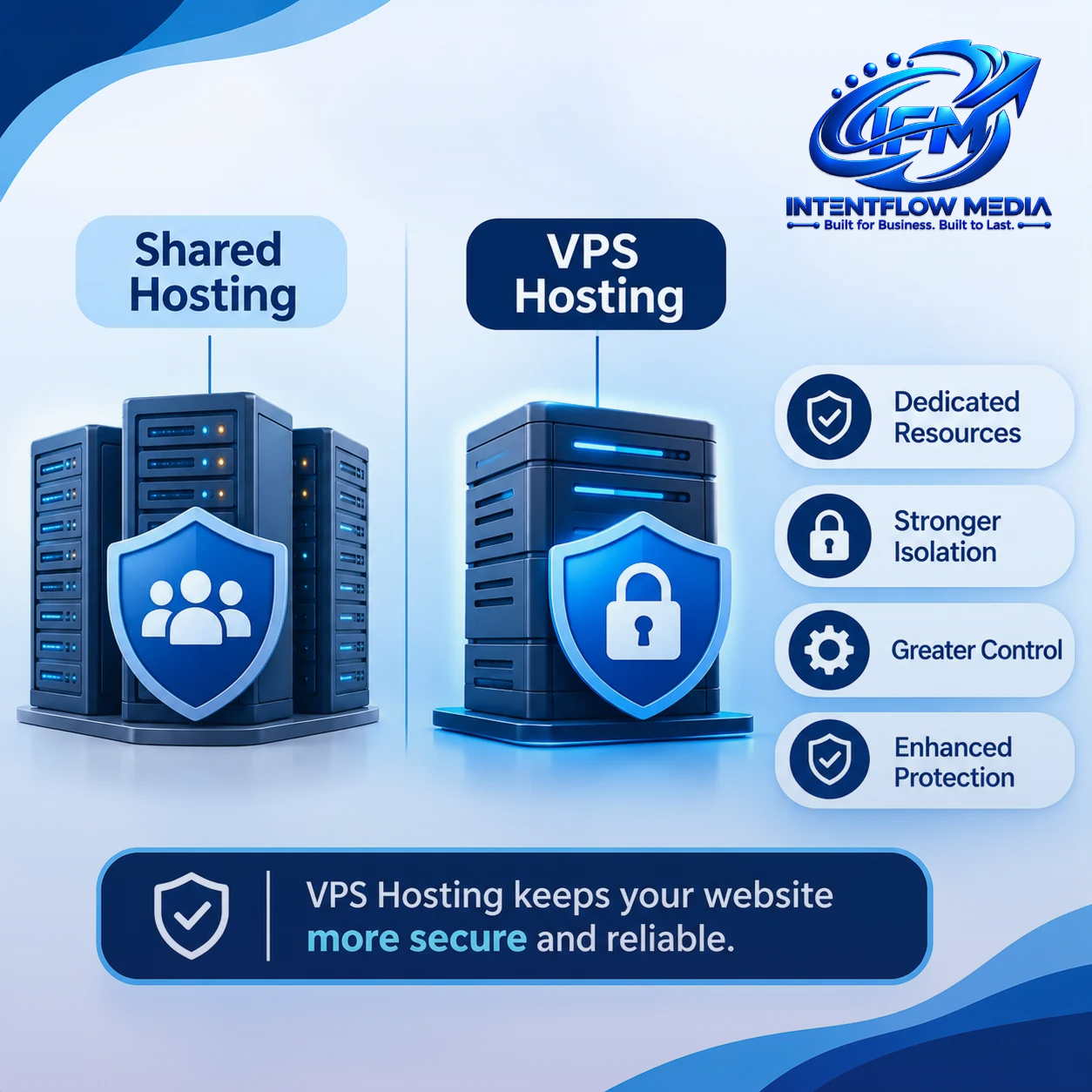
Shared hosting is popular because it is affordable and simple to manage. The problem is that several websites operate on the same physical server and share its resources. VPS hosting gives you a more isolated virtual environment, along with greater control over server settings.
That difference can make VPS hosting a better choice for websites that need stronger control over security, access, and server configuration.
For businesses using their websites as part of a B2B digital marketing strategy, hosting security becomes even more important. A business website may connect with lead forms, CRM systems, analytics platforms, and other tools that handle valuable information.
What Is Shared Hosting?
Shared hosting means several websites are hosted on the same physical server.
The hosting company manages the server and divides its resources between customers. You generally don’t need much technical knowledge because the provider handles most server-level tasks.
This makes shared hosting a good starting point for:
- Small business websites
- Personal blogs
- Portfolio websites
- Low-traffic websites
- Simple informational sites
The trade-off is limited control.
You usually cannot make major changes to the server environment or customize security settings to the same extent as you can with a VPS.
What Is VPS Hosting?
VPS stands for Virtual Private Server.
A physical server is divided into multiple virtual environments using virtualization technology. Each VPS operates as a separate environment with its own operating system, allocated resources, and configuration.
Depending on the plan, you may have control over:
- Firewall settings
- User permissions
- Software installation
- Server applications
- SSH access
- Security configurations
- Operating system updates
This additional control is one of the main reasons businesses move from shared hosting to VPS hosting.
Why VPS Hosting Can Be More Secure
1. Better Isolation
Isolation is one of the biggest differences between VPS and shared hosting.
On shared hosting, multiple websites exist within the same hosting environment. Hosting companies use security controls to separate customer accounts, but the infrastructure is still shared.
With a VPS, your website operates inside its own virtual environment.
If another VPS on the same physical server has a security problem, virtualization helps keep that environment separate from yours. It doesn’t make your website immune to attacks, but it reduces some of the risks associated with a heavily shared environment.
2. More Control Over Security Settings
Shared hosting normally gives you a fixed set of options.
A VPS gives you more freedom.
You can configure firewall rules, control access, disable unnecessary services, and install security tools that suit your website.
For example, if your website doesn’t need a particular service, you can avoid running it. Reducing unnecessary services can also reduce the number of things that need to be monitored.
Of course, this advantage only works when the server is configured correctly.
3. Greater Control Over User Permissions
A VPS allows administrators to create different users and assign specific permissions.
Not everyone working on a website needs complete server access.
A developer might need access to application files, while another employee may only need access to a particular system.
Limiting permissions reduces the damage that can occur if an account is compromised.
This level of access management is usually more restricted with shared hosting.
4. More Predictable Resources
Security isn’t the only reason to consider VPS hosting.
Performance can also affect website reliability.
On shared hosting, several websites compete for the same server resources. A sudden traffic spike or resource-heavy website can sometimes affect other accounts on the server.
A VPS provides allocated resources within its virtual environment, giving your website a more predictable setup.
That can be useful for businesses running landing pages, forms, analytics tools, and other systems connected to their marketing activities.
VPS Hosting Is Not Automatically Secure
This point is easy to overlook.
Buying a VPS doesn’t automatically make your website secure.
A poorly configured VPS can have serious security problems.
Someone needs to handle:
- Operating system updates
- Security patches
- Firewall configuration
- User permissions
- Password security
- Backups
- Malware monitoring
- Software updates
This is why managed and unmanaged VPS plans are different.
With a managed VPS, the hosting provider handles more of the technical maintenance. With an unmanaged VPS, you usually have much more responsibility for securing and maintaining the server.
If your team doesn’t have server administration experience, a managed VPS may be the more practical option.
When Should You Move to VPS Hosting?
There isn’t a specific traffic number that means you must switch.
Consider moving to a VPS when:
- Your website regularly reaches hosting limits
- You need more control over server settings
- Your traffic is growing
- You need specific software configurations
- Shared hosting performance is inconsistent
- Your website handles important business information
- You need more control over user permissions
- You need a more customized server environment
If your current shared hosting plan works well and your security needs are modest, there may be no reason to move immediately.
Free VPS hosting tools
1. Oracle Cloud: Offers always free virtual machines within specified resource limits.
2. Google Cloud: Provides a small free VM allowance and trial credits for cloud hosting.
3. AWS: Offers free-tier access and credits for trying virtual servers.
4. Microsoft Azure: Provides free services and trial credits for testing virtual machines.
Paid VPS hosting tools
1. Hostinger VPS: Affordable VPS plans with server resources and root access.
2. Vultr: Provides scalable VPS servers across multiple global locations.
3. Kamatera: Offers customizable cloud VPS hosting with flexible resources.
4. DigitalOcean: Developer-friendly cloud VPS hosting with flexible server configurations
Free shared hosting tools
1. InfinityFree: Free website hosting with PHP, MySQL, and SSL support.
2. FreeHosting: Offers a free website hosting plan for smaller websites.
3. Awardspace: Free website hosting with PHP, MySQL, and SSL support.
4. GoogieHost: Provides free hosting options for beginners and small projects.
Paid shared hosting tools
1. Hostinger: Budget-friendly shared hosting with a beginner-friendly control panel.
2. Bluehost: Shared hosting suitable for WordPress websites and small businesses.
3. HostGator: Provides shared hosting plans for blogs and business websites.
4. SiteGround: Offers managed shared hosting with website security and performance features.
5. Namecheap: Affordable shared hosting for personal and business websites.
Security Practices Every Website Should Follow
Whether you’re using shared hosting or VPS hosting, basic security still matters.
Use strong, unique passwords and enable multi-factor authentication wherever possible.
Keep WordPress, plugins, themes, applications, and server software updated.
Create regular backups and keep copies separate from the main server.
Limit administrative access to people who actually need it.
Use HTTPS across your website.
Remove unused plugins, applications, accounts, and services.
If your website supports B2B lead generation, pay attention to the systems connected to it as well. Lead forms, CRM platforms, analytics tools, and marketing automation systems can all become part of your wider security environment.
FAQs
1. Is VPS hosting safer than shared hosting?
VPS hosting can provide better security through stronger isolation and greater control over the server environment. However, proper configuration and maintenance are still essential.
2. Can shared hosting be secure?
Yes. A reputable provider can protect shared hosting environments with account isolation, monitoring, firewalls, and other security measures.
3. Does VPS hosting prevent hacking?
No. VPS hosting cannot prevent every attack. Website software, passwords, access controls, updates, and server configuration still play a major role.
4. Is VPS hosting worth the extra cost?
It can be worth it when you need greater control, better isolation, predictable resources, or custom server configurations.
Conclusion
VPS hosting can offer a stronger security setup than shared hosting because it provides more isolation, greater control, and more flexibility over the server environment.
But the hosting plan is only one part of website security.
A properly maintained shared hosting account can be safer than a poorly managed VPS. The right choice depends on your website’s traffic, technical requirements, security needs, and the level of server management your team can handle.
For businesses investing in B2B demand generation, the website is often connected to several systems that support marketing and sales. Keeping that website reliable and properly secured should therefore be part of the wider digital strategy.
Choose shared hosting when affordability and simplicity are your priorities. Consider VPS hosting when your website needs more control, stronger isolation, or a customized environment.
The best hosting isn’t necessarily the most expensive option. It’s the one that provides the right balance of security, performance, control, and support for your website.