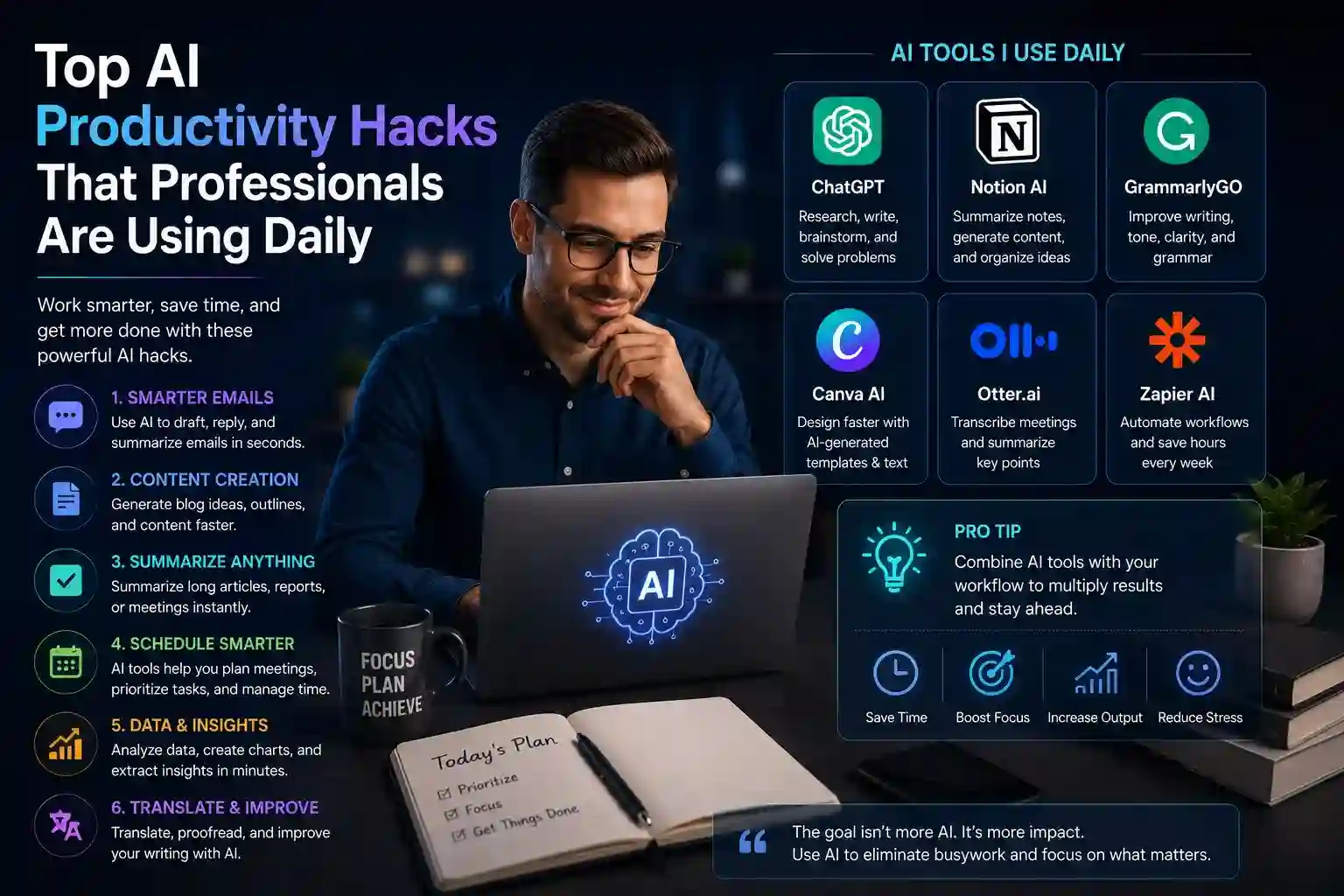
The most productive professionals in any field aren’t necessarily working longer hours — they’re eliminating the low-value tasks that fragment attention and drain energy. AI tools have become the primary mechanism for doing exactly that. What separates professionals who genuinely benefit from AI versus those who experiment briefly and abandon it is how deliberately they integrate it into existing workflows.
These aren’t theoretical applications. They’re specific, repeatable techniques that knowledge workers, managers, creatives, and executives are using on an ordinary Tuesday to reclaim hours they previously lost to busywork.
High-Impact AI Habits That Restructure the Workday
The most effective AI productivity habits share a common characteristic: they address the tasks that consume disproportionate time relative to the value they produce. Identifying those tasks in your own workflow is the first step; knowing which AI approach to apply is the second.
AI techniques professionals embed into daily routines:
- Meeting summarization — feeding transcripts or recorded calls into an AI tool immediately after a meeting extracts action items, decisions, and key discussion points in under a minute, eliminating the cognitive overhead of manual note-taking during calls
- Email triage and drafting — using AI to categorize incoming messages by urgency, draft replies to routine correspondence, and generate follow-up sequences reduces inbox management from an hour-long daily ritual to a fifteen-minute review
- Morning briefing generation — prompting AI with specific inputs (calendar, priority projects, ongoing threads) to produce a structured daily plan surfaces what actually matters rather than defaulting to whatever landed in the inbox overnight
- Research compression — instead of reading five articles to extract one relevant insight, professionals feed multiple sources into an AI tool and receive a synthesized summary with the specific angle they need
- First-draft acceleration — using AI to generate rough drafts of reports, proposals, or presentations provides a structural scaffold that’s faster to edit than to build from scratch, cutting document creation time by half or more
- Prompt libraries — maintaining a personal collection of high-performing prompts for recurring tasks means AI output is consistently useful rather than inconsistent across sessions
- Cross-platform automation — connecting AI tools to project management, communication, and document platforms through integrations allows information to move between systems without manual copy-paste work
Each of these habits, practiced consistently, produces cumulative time savings that compound across a working week.
Advanced AI Techniques That Separate Good From Great Results
Surface-level AI use — asking a chatbot to summarize something or write a paragraph — produces modest gains. Professionals extracting the most value operate with more deliberate technique.
- Role-based prompting instructs the AI to adopt a specific perspective before responding — “evaluate this proposal as a skeptical CFO” or “review this copy as someone unfamiliar with our industry” — producing feedback with genuine critical utility rather than generic validation.
- Chain-of-thought structuring breaks complex tasks into sequential steps rather than requesting everything in a single prompt, producing more accurate and coherent outputs for analytical or multi-part tasks.
- Iterative refinement loops treat the first AI output as a starting point rather than a finished result — one round of generation followed by targeted revision prompts consistently produces better final work than trying to perfect the initial prompt.
- Context front-loading provides AI with relevant background before any task — the audience, the objective, the constraints, the tone — so outputs require less editing to fit the actual situation.
- Parallel task batching groups similar AI tasks into a single session, maintaining context and reducing the mental switching cost of jumping between different types of work throughout the day.
- Output templates establish consistent formats for recurring deliverables — weekly status reports, client update emails, project briefs — so AI fills a known structure rather than generating unpredictable formats that require reformatting.
- Automated workflow triggers use AI integrated with task management tools to create follow-up tasks, update project statuses, or notify team members based on conditions — removing the mental overhead of remembering to do so manually.
Building an AI-Enhanced Work Environment That Sustains Results
Individual AI hacks produce one-time gains. Building an AI-enhanced work environment produces ongoing advantages that strengthen over time.
The professionals who sustain the highest productivity gains treat AI configuration as a recurring investment rather than a one-time setup. They review which tools are actually saving time quarterly, replace underperforming tools without attachment, and continuously refine their prompt libraries based on what generates consistently useful output.
Boundaries matter equally. Productive AI users define which decisions require human judgment and protect those boundaries deliberately. Strategic choices, sensitive communications, and creative direction stay human-led. Execution, summarization, structuring, and first-draft generation shift to AI. That division — not AI maximalism — is what produces durable productivity rather than dependency.
The professionals gaining the most from AI aren’t using the most tools. They’re using the right tools with precision, consistency, and clear awareness of where human judgment remains irreplaceable.
Conclusion
AI productivity isn’t about working less — it’s about removing the friction between intention and output. The hacks professionals use daily share a common thread: they eliminate the mechanical work that consumes attention without requiring it, freeing cognitive capacity for the decisions, relationships, and creative work that actually differentiate performance. Start with one habit, embed it until it’s automatic, then add the next. That compounding approach consistently outperforms trying to adopt every available tool simultaneously.
Frequently Asked Questions
Q1: What is the single most effective AI productivity hack for busy professionals?
Meeting summarization delivers immediate, measurable value for most professionals. Capturing decisions and action items automatically after every call eliminates follow-up confusion, reduces missed commitments, and saves the mental energy spent trying to reconstruct what was discussed.
Q2: How long does it take to see real productivity gains from AI tools?
Most professionals notice meaningful time savings within the first two weeks of consistent use on a specific task. The gains become substantial — often two to four hours weekly — once AI is embedded across multiple recurring tasks rather than used sporadically for one-off requests.
Q3: Is it safe to use AI tools with confidential professional information?
It depends on the platform and your organization’s data policies. Many enterprise AI tools offer privacy-compliant environments where data isn’t used for model training. Professionals handling sensitive information should verify data handling policies before inputting confidential content into any AI system.
Q4: How do professionals avoid becoming overly dependent on AI for critical thinking?
The most effective approach is deliberate task separation — using AI for information gathering, structuring, and drafting while retaining full ownership of analysis, judgment, and decision-making. Regularly working through complex problems without AI assistance also maintains the cognitive muscles that dependency would otherwise erode.
Q5: What’s the best way to build a personal prompt library for recurring tasks?
Start by identifying your five most time-consuming recurring tasks. For each one, develop and test a prompt until the output consistently meets your standard with minimal editing. Save these prompts in a document or note-taking app with clear labels. Review and update them monthly as your tasks and AI tools evolve.