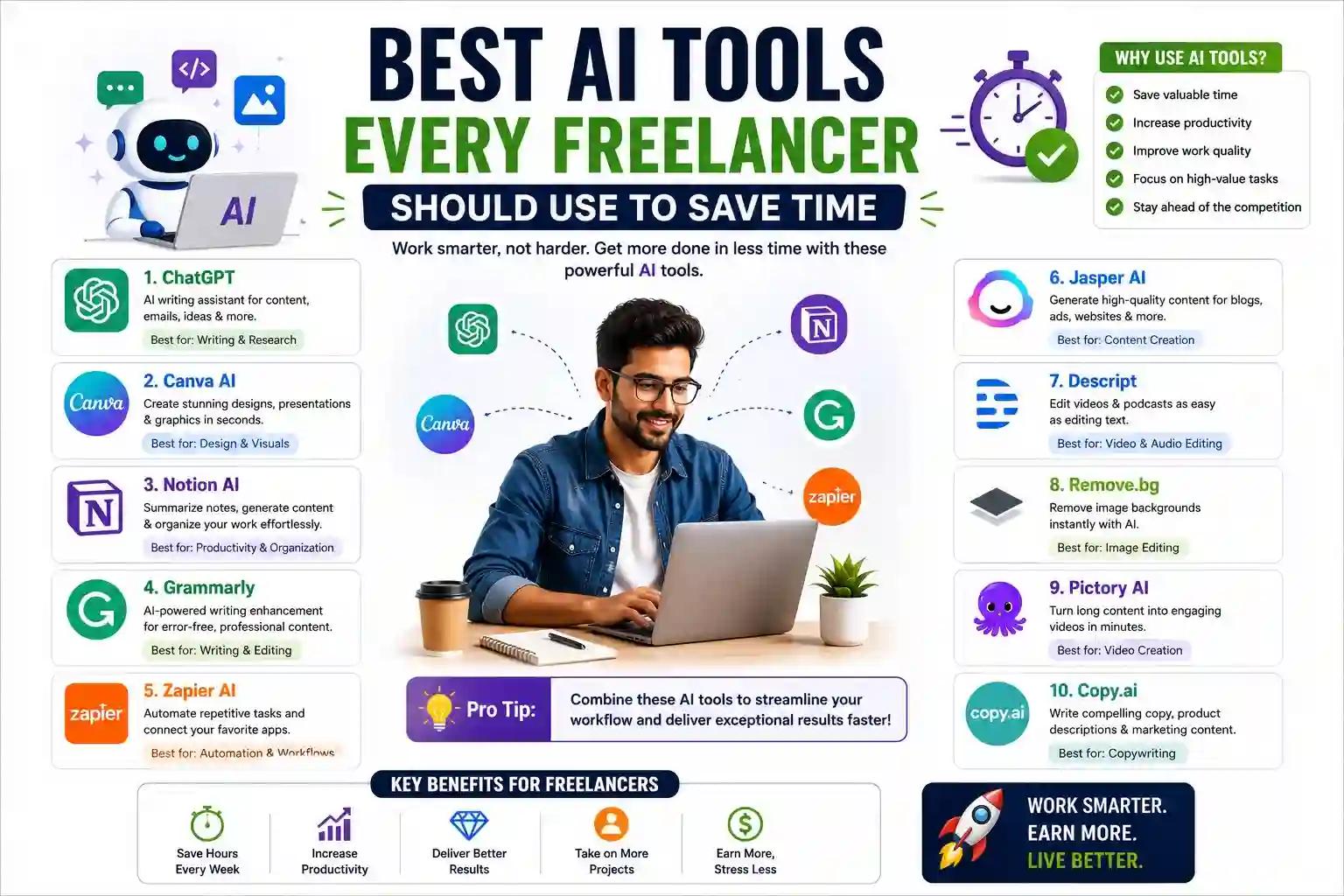
Time is the one resource freelancers can never recover. Between client calls, project delivery, invoicing, and prospecting, the hours vanish fast. AI tools have become genuine productivity multipliers — not gimmicks — for solo professionals who need to do more without burning out or hiring help.
The freelancers pulling ahead aren’t necessarily the most talented. They’re the ones who’ve built smarter workflows.
AI Tools That Handle Writing, Editing, and Communication
A significant portion of freelance time gets consumed by words — drafting proposals, writing emails, producing content, and polishing deliverables. These tools cut that time dramatically.
- Large language model assistants (text-generating AI tools) help freelancers draft first versions of blog posts, project briefs, client reports, and pitch emails in minutes. The goal isn’t to publish raw output — it’s to eliminate the blank-page paralysis that slows every creative professional.
- AI grammar and style editors go beyond spellcheck. They analyze sentence clarity, tone consistency, and readability in real time, making it faster to self-edit without a proofreader.
- AI email assistants summarize long client threads, suggest replies based on context, and help maintain professional tone even when you’re replying at midnight under deadline pressure.
- AI transcription tools convert recorded client calls into searchable, time-stamped text within minutes. Instead of writing notes during a call, you stay fully present and review the transcript after.
- AI proposal generators use your past winning proposals and job description inputs to produce structured, tailored pitch drafts — a major time saver for freelancers who apply to multiple opportunities weekly.
Writing-related tasks can consume 30–40% of a freelancer’s non-billable hours. These tools reclaim much of that time without sacrificing quality.
AI Tools for Design, Media, and Visual Content Creation
Freelancers who aren’t designers still need visuals — for portfolios, client presentations, social media, and deliverable mockups. AI has leveled the playing field significantly.
- AI image generators produce custom visuals, concept art, and social media graphics from text prompts. Freelancers use them to prototype visual ideas for clients before committing to full production.
- AI video editors automatically cut silences, add captions, and trim dead footage from raw recordings. Content creators and educators save hours of manual editing per video.
- AI presentation builders convert bullet points or documents into structured slide decks complete with layouts, fonts, and suggested visuals — eliminating the formatting marathon that follows every client briefing.
- AI background removal and image enhancement tools let non-designers produce clean, professional product or portfolio images without Photoshop expertise or outsourcing to a retoucher.
- AI logo and brand kit generators help freelancers build a basic visual identity or create starter brand assets for clients during early project phases, reducing back-and-forth before formal design work begins.
Visual content no longer requires either extensive skill or expensive outsourcing. AI tools have collapsed the barrier between having an idea and executing it presentably.
AI Tools That Automate Admin, Scheduling, and Business Operations
The invisible work of running a freelance business — scheduling, invoicing, tracking, organizing — accumulates quietly and drains focus from billable tasks.
AI-powered scheduling assistants remove the back-and-forth of booking meetings by sharing a smart availability link that accounts for time zones, buffer time, and working preferences automatically.
AI invoicing and accounting tools categorize expenses, flag overdue payments, estimate quarterly taxes, and generate financial summaries without requiring spreadsheet management. For freelancers without a bookkeeper, this functionality is invaluable.
AI project management assistants break down project scopes into task lists, assign estimated durations, and send deadline reminders — helping solo professionals manage multiple clients without dropping balls.
AI-driven social media schedulers generate post captions, suggest optimal posting times, and recycle high-performing content across platforms, maintaining a consistent online presence during busy delivery periods.
Contract and document AI tools review freelance agreements for unfavorable clauses, flag ambiguous payment terms, and help draft standard contracts — reducing legal risk without requiring an attorney for every engagement.
Conclusion
The best freelancers in any niche aren’t superhuman — they’re systematic. AI tools don’t replace professional judgment or creative skill. They remove the repetitive, low-value tasks that eat into the hours you should be spending on work that only you can do. Build your AI toolkit deliberately, one workflow at a time, and the compounded time savings become a serious competitive advantage.
Frequently Asked Questions
Q1: Do AI tools actually save meaningful time for freelancers?
Yes — when used strategically. Freelancers who integrate AI into writing, scheduling, and admin workflows routinely recover ten to fifteen hours per week that were previously spent on low-value repetitive tasks.
Q2: Are AI tools affordable for solo freelancers on tight budgets?
Most core AI tools offer free tiers with sufficient functionality for part-time use. Paid plans typically range from $10 to $30 per month — a cost that pays for itself quickly when measured against the billable hours recovered.
Q3: Will using AI tools make my work less original or authentic?
Not if used correctly. AI is most effective as a starting point or efficiency layer. Your expertise, judgment, and client understanding are what shape the final output — AI simply removes friction from the process.
Q4: Which type of AI tool delivers the biggest time savings for most freelancers?
AI writing assistants and transcription tools tend to deliver the fastest, most immediate time savings across virtually every freelance discipline, since communication and documentation are universal tasks regardless of niche.
Q5: Is it ethical to use AI tools when clients are paying for your expertise?
Completely — provided the final work meets the agreed quality standard and reflects your professional judgment. Clients hire you for outcomes and expertise, not for the specific method you use to produce them. Transparency about AI use is always a sound practice when in doubt.