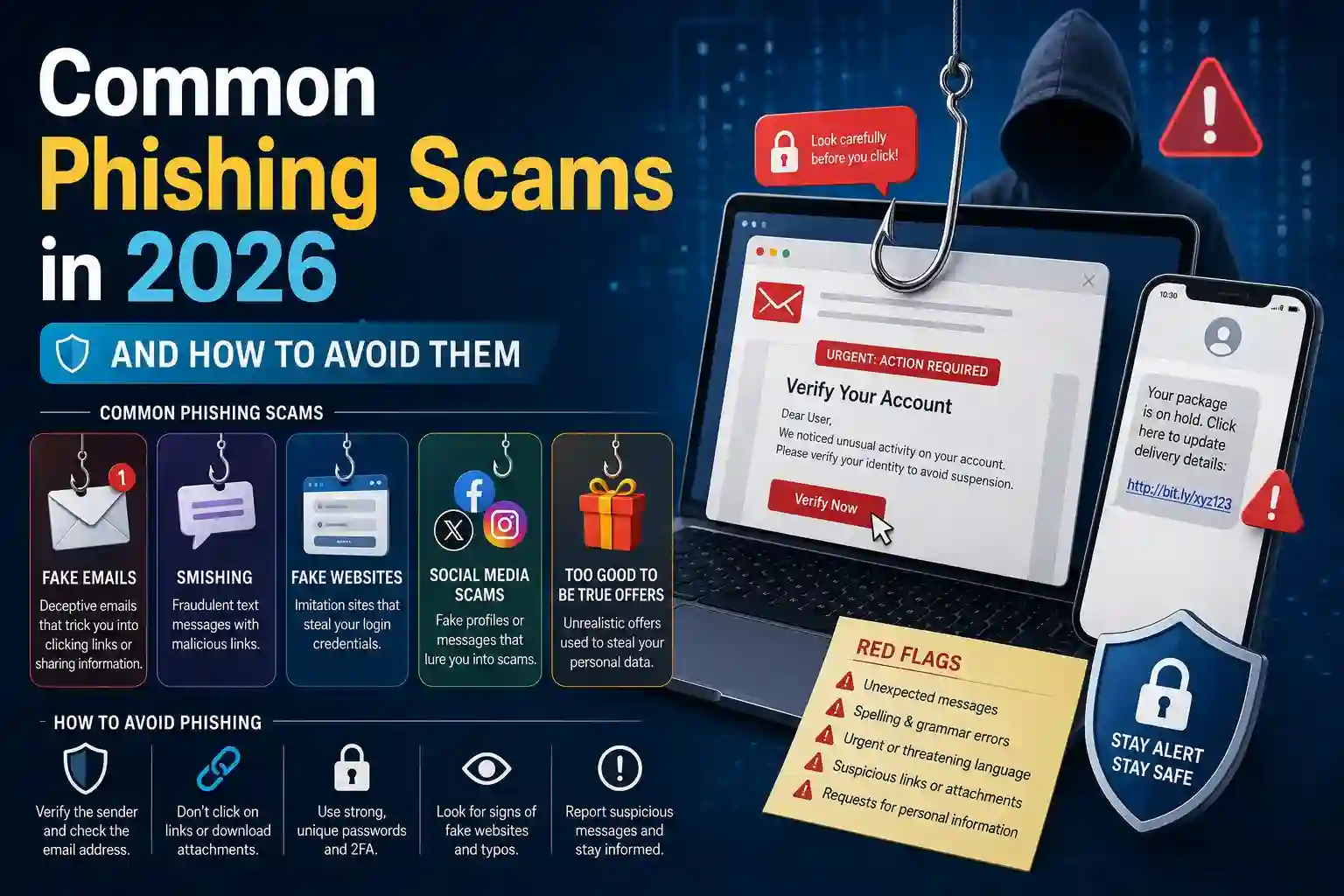
Phishing attacks have evolved well beyond suspicious emails asking you to claim a prize. The scams targeting individuals and businesses in 2026 are precisely personalized, technically convincing, and delivered through channels people inherently trust — phone calls, text messages, video calls, and even QR codes posted in physical locations. Recognizing them requires understanding what’s changed, not just applying filters that worked five years ago.
The Most Dangerous Phishing Scams Circulating in 2026
Several distinct phishing methods have risen to prominence as attackers adopt AI tools and exploit new communication channels. Each exploits a different vulnerability — some technical, most psychological.
The phishing threats causing the most damage to individuals right now:
- AI voice cloning scams use brief audio samples harvested from social media to generate real-time voice impersonations of family members, employers, or bank representatives — callers hear a familiar voice requesting urgent wire transfers, login credentials, or gift card purchases, making skepticism feel disrespectful rather than prudent
- Deepfake video phishing conducts live video calls appearing to show a known colleague or executive, used primarily in business contexts to authorize fraudulent financial transactions or extract sensitive access credentials from employees
- QR code phishing (quishing) places fraudulent QR codes over legitimate ones in restaurants, parking meters, and public spaces — scanning redirects victims to convincing fake payment or login pages that harvest card details and credentials
- Spear phishing via LinkedIn data constructs highly personalized emails referencing a target’s actual job title, recent employer changes, and industry contacts — appearing as recruiting opportunities, vendor invoices, or professional endorsements containing malicious links
- Package delivery text scams send SMS messages mimicking courier notifications with tracking links leading to fake login pages, exploiting the high volume of online orders that makes people expect delivery updates regularly
- AI-generated invoice fraud sends realistic-looking invoices from spoofed supplier domains, sometimes referencing actual previous transactions obtained through earlier data breaches to establish credibility before requesting updated payment details
- Fake two-factor authentication requests send convincing prompts claiming unusual account activity requiring immediate verification — victims enter their real 2FA codes into fraudulent pages, handing attackers real-time access to secured accounts
What connects each of these is the deliberate exploitation of trust — in familiar voices, recognizable brands, expected communications, and routine processes.
How to Identify a Phishing Attempt Before It’s Too Late
Recognizing phishing in 2026 requires updated instincts. The traditional warning signs — poor grammar, generic greetings, obvious spelling errors — have been eliminated by AI-generated content that writes flawlessly and personalizes at scale.
Detection now depends on behavioral signals rather than surface quality:
- Unsolicited urgency is the most consistent indicator across all phishing types — legitimate institutions give customers time to verify, think, and respond through official channels; attackers manufacture time pressure to prevent exactly that
- Requests arriving through unexpected channels warrant immediate skepticism — a bank that normally emails you doesn’t suddenly call asking for your PIN, and a colleague who typically uses Slack doesn’t send payment approvals via personal text
- Domain inspection beyond the brand name catches spoofed addresses — “support@paypa1.com” or “amazon-security.net” look plausible at a glance but reveal themselves on close examination of the actual sending domain
- Hover-before-clicking discipline on any link in an email or message reveals the true destination URL before committing to it — discrepancies between displayed text and actual destination are definitive red flags
- Callback verification for any financial or credential request means hanging up on callers and redialing the official number listed on the organization’s actual website — not the number provided by the person who called you
- Reverse image and audio searching for suspicious profile photos or unusual audio on calls can reveal stock imagery or synthesized voice patterns used to construct fake identities
- Workplace verification protocols for any transaction authorization request regardless of who appears to be asking — legitimate executives understand security procedures and don’t pressure employees to bypass them
What to Do Immediately If You’ve Been Phished
Speed matters significantly when responding to a successful phishing attack. Every minute between the compromise and the response is time attackers use to escalate access, drain accounts, or lock victims out.
If you clicked a malicious link or entered credentials on a fraudulent page, change the compromised password immediately from a different, clean device. Then change that same password everywhere else you used it — credential reuse is what transforms a single phishing success into a multi-account takeover.
Contact your bank directly if any financial information was entered. Most institutions can freeze transactions, reverse recent unauthorized transfers, and issue new card numbers within hours when fraud is reported quickly. Delays dramatically reduce recovery options.
Enable two-factor authentication on every account the compromised credentials could access. Even if attackers have your username and password, 2FA forces them to also possess your authentication device — a barrier most opportunistic attackers abandon rather than attempt to overcome.
Report the phishing attempt to the relevant platform, your email provider, and national cybercrime reporting agencies. Reports contribute to takedown requests against fraudulent domains and add the attack pattern to detection databases that protect other potential victims.
Finally, monitor credit reports and bank statements closely for thirty to ninety days after a phishing incident. Attackers frequently wait weeks before exploiting stolen information, allowing initial vigilance to fade before acting.
Conclusion
Phishing in 2026 succeeds not because victims are careless but because attacks are convincing. AI-generated voices, deepfake video, and personally researched spear phishing campaigns are designed specifically to defeat casual scrutiny. Defense requires deliberate habits — verifying independently, treating urgency as a warning signal, and inspecting every link and sender domain before acting. These instincts, applied consistently, are what stand between a recognized attempt and a successful attack.
Frequently Asked Questions
Q1: How can I tell if a voice call is using AI voice cloning?
Ask the caller something only the real person would know — a specific shared memory, an inside reference, or a detail from a recent private conversation. AI voice clones can replicate tone and speech patterns but cannot answer questions about information they weren’t trained on. Establishing a family safe word in advance provides an even more reliable real-time verification method.
Q2: Are phishing attacks only delivered through email in 2026?
No. Phishing now arrives through SMS, voice calls, video calls, social media direct messages, QR codes, and even physical mail containing fraudulent URLs. The term now broadly covers any deceptive communication designed to steal credentials, money, or personal information — regardless of the channel used to deliver it.
Q3: What makes spear phishing harder to detect than generic phishing?
Spear phishing is personalized using publicly available or previously stolen information about the target — their name, employer, role, recent activity, and professional contacts. This personalization makes the communication feel legitimate rather than opportunistic, bypassing the instinct to dismiss generic mass-sent scam messages.
Q4: Can phishing attacks bypass two-factor authentication?
Some sophisticated attacks can. Real-time phishing proxies capture both your password and your 2FA code as you enter them on a fake page, then immediately replay them on the legitimate site before the code expires. Hardware security keys are resistant to this technique because they cryptographically verify the actual domain — making them the most phishing-resistant authentication method currently available.
Q5: Should I click a link to verify whether it’s a phishing attempt?
Never click to verify. Instead, navigate directly to the organization’s official website by typing the address manually or using a saved bookmark, then check whether the alert, package, or account issue referenced in the message actually exists. Legitimate notifications will be visible within your actual account — fraudulent ones will not.